Notifications
Get pinged when a new conversation starts, when one gets assigned to you, or when something needs your attention. Notifications work on phone, tablet, and desktop — once you've enabled them per device.
What you get notified about
- New conversation — a visitor messages a site you have access to (and no AI handled it alone).
- Assigned to you — a teammate transfers a conversation, or auto-assignment routes one your way.
- Mentioned — a teammate @mentions you in an internal note.
- Ticket assigned — a ticket is filed or transferred to you.
Enable notifications on a device
First time you open AskAmigo on a device, the dashboard shows a banner asking you to Enable notifications. Click it and grant permission when the browser asks.
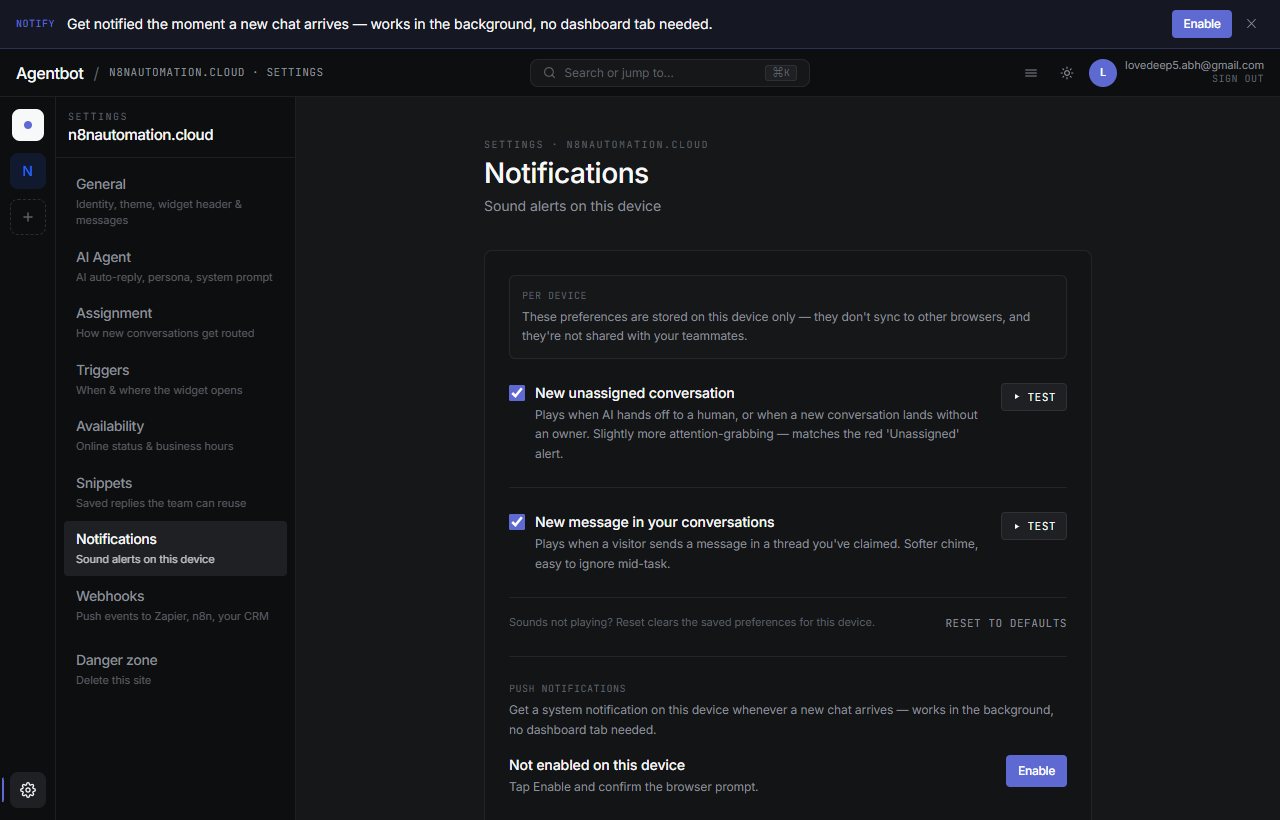
Manage your devices
Dashboard → Settings → Notificationslists every device you've enabled. Each row shows:
- Device name (your phone, your laptop, etc.)
- Browser / OS
- When it last received a notification
- A toggle to mute it temporarily, and an × to remove it
Remove a device
Click the ×next to a device to revoke it. Useful if you've replaced your phone or no longer want a specific browser to ping you. After removing, you'll need to enable notifications again on that device if you ever want them back.
Troubleshooting
I clicked Enable but nothing happens
- Your browser may have permanently denied permission. Click the lock icon next to the URL → Notifications → Allow, then retry.
- On iPhone: make sure AskAmigo is installed to your home screen, not just bookmarked.
- Try a different browser. Firefox, Chrome, Safari (iOS 16.4+), and Edge are supported.
Notifications worked, now they don't
- Check OS-level notification settings: iOS → Settings → Notifications → AskAmigo, or Android → Settings → Apps → AskAmigo → Notifications.
- Open Settings → Notifications in AskAmigo and confirm the device is still listed and enabled.
- Remove the device, restart the app, re-enable.
Battery saver / Do Not Disturb is silencing them
Both iOS and Android can hold web push notifications until the device wakes up or DND ends. Check Focus / DND settings if you're missing pings during work hours.