Webhooks
Webhooks send events from AskAmigo to any HTTP endpoint — your CRM, Zapier, n8n, a Slack channel, a Google Sheet, whatever. Use them to sync new conversations into your sales tool, log tickets in your project tracker, or trigger any custom workflow.
Create a webhook
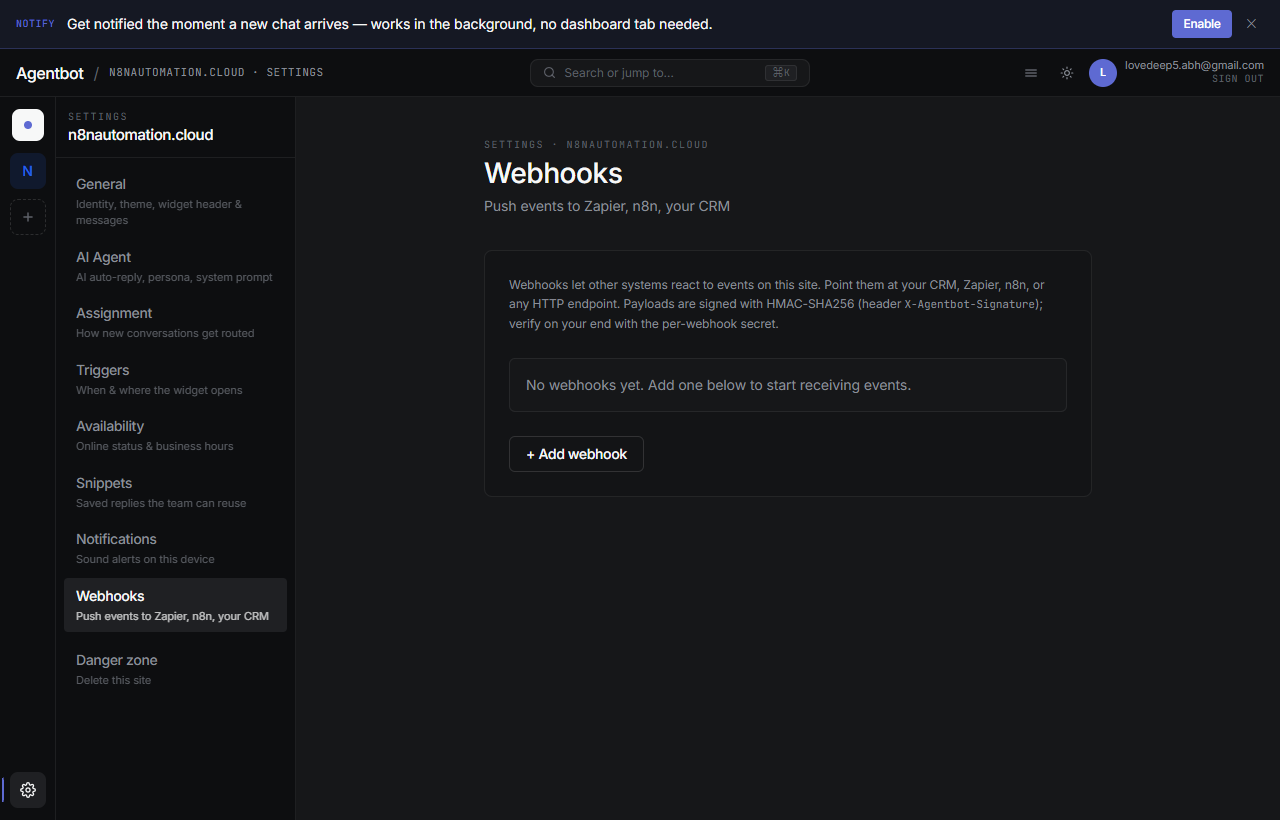
- Go to Settings → Webhooks → New webhook.
- Paste the destination URL — where AskAmigo should POST events to.
- Pick which events to send (you can change later).
- Copy the signing secret that's generated. You'll use it to verify the request on your end (see “Signature” below).
- Click Save. The webhook starts firing immediately.
Events you can subscribe to
| Event | Fires when |
|---|---|
conversation.created | A new conversation starts. |
conversation.closed | A conversation is closed by an agent. |
message.created | Any new message — visitor, agent, or AI. |
conversation.needs_human | The AI flags a chat for human handoff. |
ticket.created | A ticket is filed (by AI or manually). |
ticket.updated | A ticket's status, priority, or assignee changes. |
Payload shape
Every webhook POST has:
- Headers:
Content-Type: application/json,X-AskAmigo-Event,X-AskAmigo-Signature,X-AskAmigo-Delivery-Id. - Body: JSON with
event,timestamp,site_id, and event-specific fields.
Example: message.created
POST /your-endpoint
Content-Type: application/json
X-AskAmigo-Event: message.created
X-AskAmigo-Signature: t=1715968923,v1=8a4c8...
X-AskAmigo-Delivery-Id: d9e8...

{
  "event": "message.created",
  "timestamp": "2026-05-17T12:34:56Z",
  "site_id": "site_abc",
  "data": {
    "conversation_id": "conv_xyz",
    "message_id": "msg_123",
    "sender_type": "visitor",
    "body": "Hi, what's your pricing?",
    "visitor_email": null,
    "visitor_name": null
  }
}
Signature: verify it's really us
Each request includes an X-AskAmigo-Signature header of the formt={timestamp},v1={hmac}. The HMAC is HMAC-SHA256(secret, "{timestamp}.{body}") as a hex digest.
Verifying in Node
import crypto from 'crypto';

function verify(req) {
  const sig = req.headers['x-askamigo-signature'];   // "t=123,v1=hash"
  const [tPart, vPart] = sig.split(',');
  const t = tPart.slice(2);
  const v1 = vPart.slice(3);

  const expected = crypto
    .createHmac('sha256', process.env.ASKAMIGO_SECRET)
    .update(`${t}.${JSON.stringify(req.body)}`)
    .digest('hex');

  return crypto.timingSafeEqual(Buffer.from(v1), Buffer.from(expected));
}Retries
If your endpoint doesn't return a 2xx status code, AskAmigo retries with exponential backoff:
- Attempt 1 — immediate
- Attempt 2 — after ~1 min
- Attempt 3 — after ~5 min
- Attempt 4 — after ~30 min
- Attempt 5 — after ~3 hours
- After that, the delivery is marked failed and dropped.
Each webhook has a Recent deliveries log showing status codes, response bodies, and attempt counts — handy for debugging.
Common integrations
- Zapier — use the “Webhooks by Zapier” trigger with the URL it gives you.
- n8n — Webhook trigger node. Paste the URL into AskAmigo.
- Slack — use an Incoming Webhook URL; map the fields you want in a small wrapper service or use Zapier in between.
- Custom backend — any HTTPS URL that returns a 2xx works.
Disable or delete a webhook
On the webhook's row, toggle Enabled off to pause delivery without losing the config, or click the × to delete it permanently.